
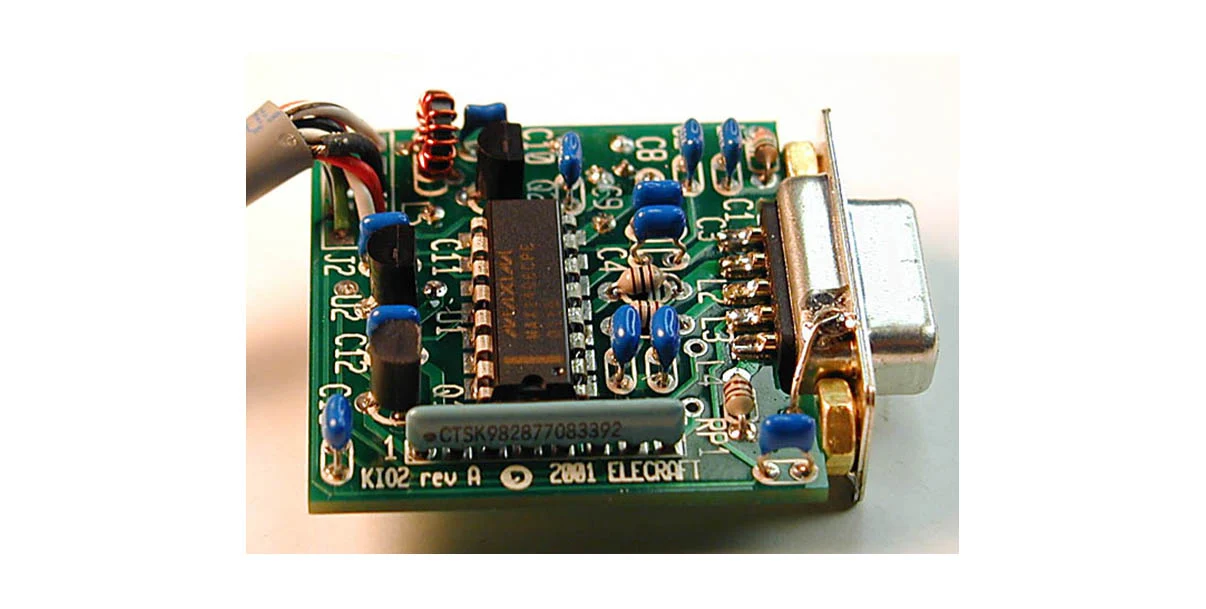
 Without reading any manual I started to use my Elecraft K2 with KIO2-option. When on holiday in Denmark I jammed in a serial-USB-converter in the AUX I/O-port on the Elecraft K2. Using Qlog almost religiously now, I could not get it to work. The K2 behaved very strange. Display flipping all weird values. After playing around with all kind of setting in rigctld (Hamlib) my oldest son Winston shouted: “Dad! There is smoke coming out of the back of the K2!”. Not the thing you want to hear. Disconnected everything and searching for documentation for the KIO2-option. Only then finding out the AUX I/O port is NOT a real RS232-port. You are able to use it with RS232 when you make an special cable…
Finding the error in KIO2
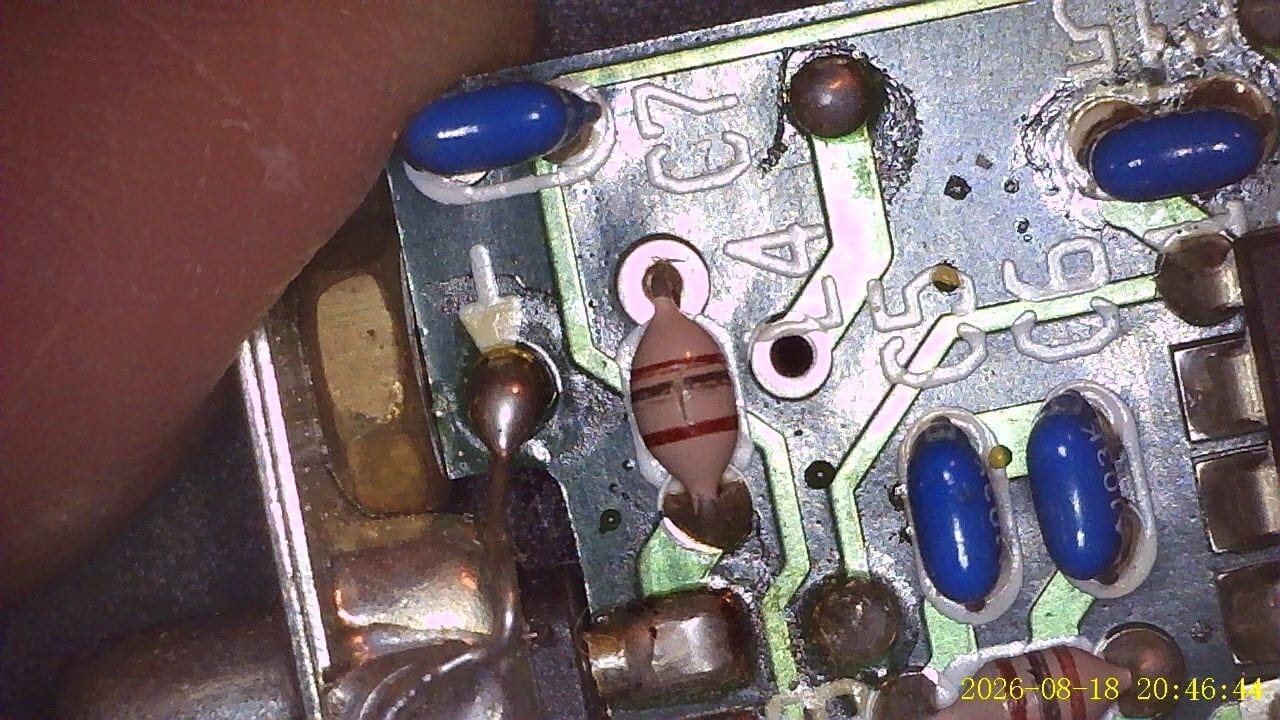 Investigating the KIO2-board I noticed a cracked L4 choke. But more important: short circuit on the level converter IC U1 MAX1406CPE. Searching around I de-soldered the Q3 J310 mosfet who seem the culprit. Swapped it for a BS170 mosfet (the only alternative I had laying around) the KIO2 came back to life. Tip: listen on 16,29MHz on the K2. If you hear a signal, you know the KIO2-option is at least partly alive. It took some time wiggling around with the special cable. When you read the manual, focus on pin numbers, not the form of the connector! I attached the special cable to the serial-USB-converter, connected pins 2 and 3 (TX and RX) and do a
 #screen /dev/ttyxxx (on linux). If you see what you type, the cable is working.
After a few tries I got it to work.
Finding the right set-up
The serial-USB-converter turns out to be quite critical. A real original FTDI works fine. But a Prolific which I had laying around, didn’t. So choose wisely when buying a serial-USB-converter. You need a converter that does not use TTL but real RS232-signals.
Settings you need to use in the software are:
- Data Rate and format: 4800 baud, 8 data bits, no parity, 2 stop bits
- Handshaking: None